

SWC Forums
Pull up a chair...let's talk fishing.

Does anyone have pictures of charts or how numbers work on plotter? Can't seem to find any samples on the website.
You tell him what brand plotter you have and it goes in the access. SO garmin will be sd or micro sd. You plug it in and follow the prompts to download.
As mentioned you get all the common names. You also get many names that not as many know about. then you have off the wall stuff as well. Or at least mine is that way. If you talk to john directly he will pretty much tailor the chip and points to your interest. But in general it's a load of stuff.
I've shared this image several times but it pretty much serves it's purpose.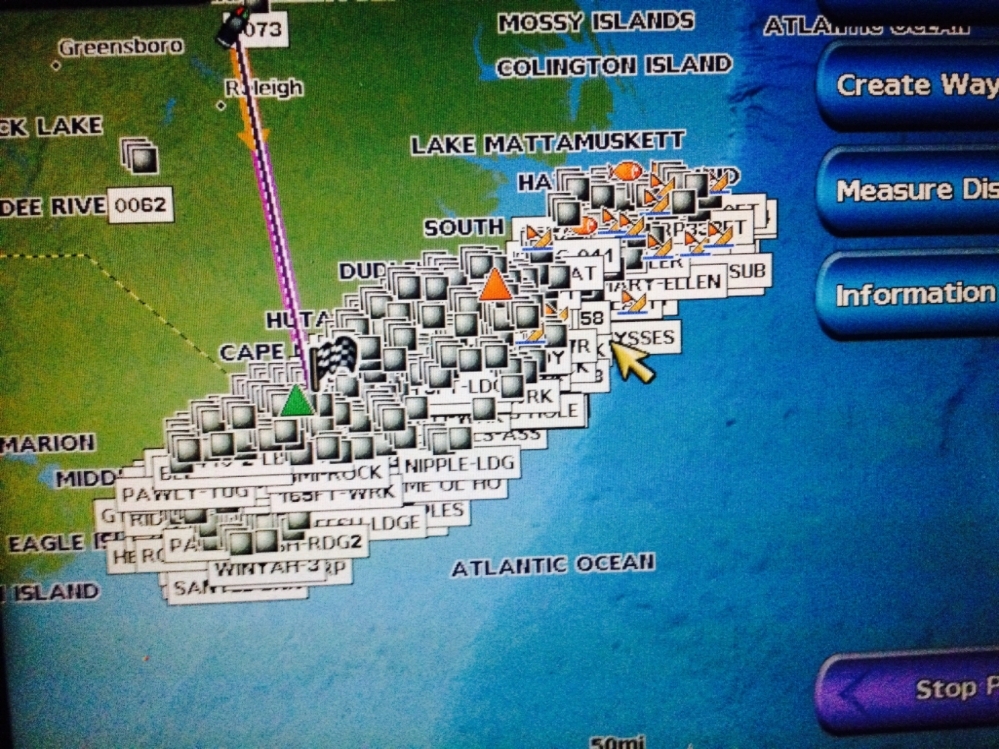

Thanks Will! I'll have to contact him if he can do a custom chip.
Thanks Will! I'll have to contact him if he can do a custom chip.
I'm pretty sure he can tailor to suit your needs. you can give him a call and talk or shoot him an email but I have had better luck calling

Need to delete the comma at the end of this link for it to work:
I'm not too computer savvy, but once you upload, does that mean that you no longer need the chip in the chartplotter to run? I have a base map(Garmin 541S), and a G2 Vision card in the slot. So it loads on top of the base map, then I remove the prochip, and run my G2 Vision in the slot?
And it self-destructs if you plug it into a second GPS. Do they have a trade in policy if you upgrade or have to replace your electronics?
Yes once you upload first upload the numbers from the chip you take it out and your done. Card does not stay in there.
As far as trade in policy, not sure on that. I know I had mine updated this year and it was a small fee to do that.
Small fee to move them to a different unit, I just had to when my old GPS quit on me.

This sounds like a perfect Birthday or Christmas present to give myself from my wife and kids this year.
I have a Garmin 541S Loaded (overloaded) with points from experience, from the previous owner, and Maps-unique.
I also have an additional Furuno GPS/combo unit with zero waypoints saved. I can load the Pro Chip numbers onto that one to keep them separate. My garmin screen is extremely cluttered.
My question is, will theses numbers be just a duplication of the Maps-Unique numbers? Will they denote live bottom, ledges, etc? This sounds great!
No they just load to what you have there so in other words it will clutter your screen more.
This sounds like a perfect Birthday or Christmas present to give myself from my wife and kids this year.
I have a Garmin 541S Loaded (overloaded) with points from experience, from the previous owner, and Maps-unique.
I also have an additional Furuno GPS/combo unit with zero waypoints saved. I can load the Pro Chip numbers onto that one to keep them separate. My garmin screen is extremely cluttered.
My question is, will theses numbers be just a duplication of the Maps-Unique numbers? Will they denote live bottom, ledges, etc? This sounds great!
Did you have luck loading the Maps Unique electronic waypoints to your Garmin? I have the electronic version, but could never get it to load any waypoints to my old Lowrance and haven't tried with my Garmin units I have now. BTW...call it a gift to yourself for Christmas and don't let the wife and kids in on it :xmas:
Duane, I punched him in myself onto my laptop from the chart and then I move them to a SanDisk card
Duane, I punched him in myself onto my laptop from the chart and then I move them to a SanDisk card
Thanks Stephen. That's how I've done it. I was hoping for an easier way. This Prochip might be the way to go.